
Neutral, not overprocessed
The edit pulls excess green from whites, shadows and skin while keeping intentional green objects such as actual matcha, plants and clothing believable.
AI matcha filter remover
Upload a green-tinted photo and let AI rebalance the color cast while keeping the person, pose, background and composition intact. Get natural-looking skin tones and clean whites in one focused edit.
Remove matcha filter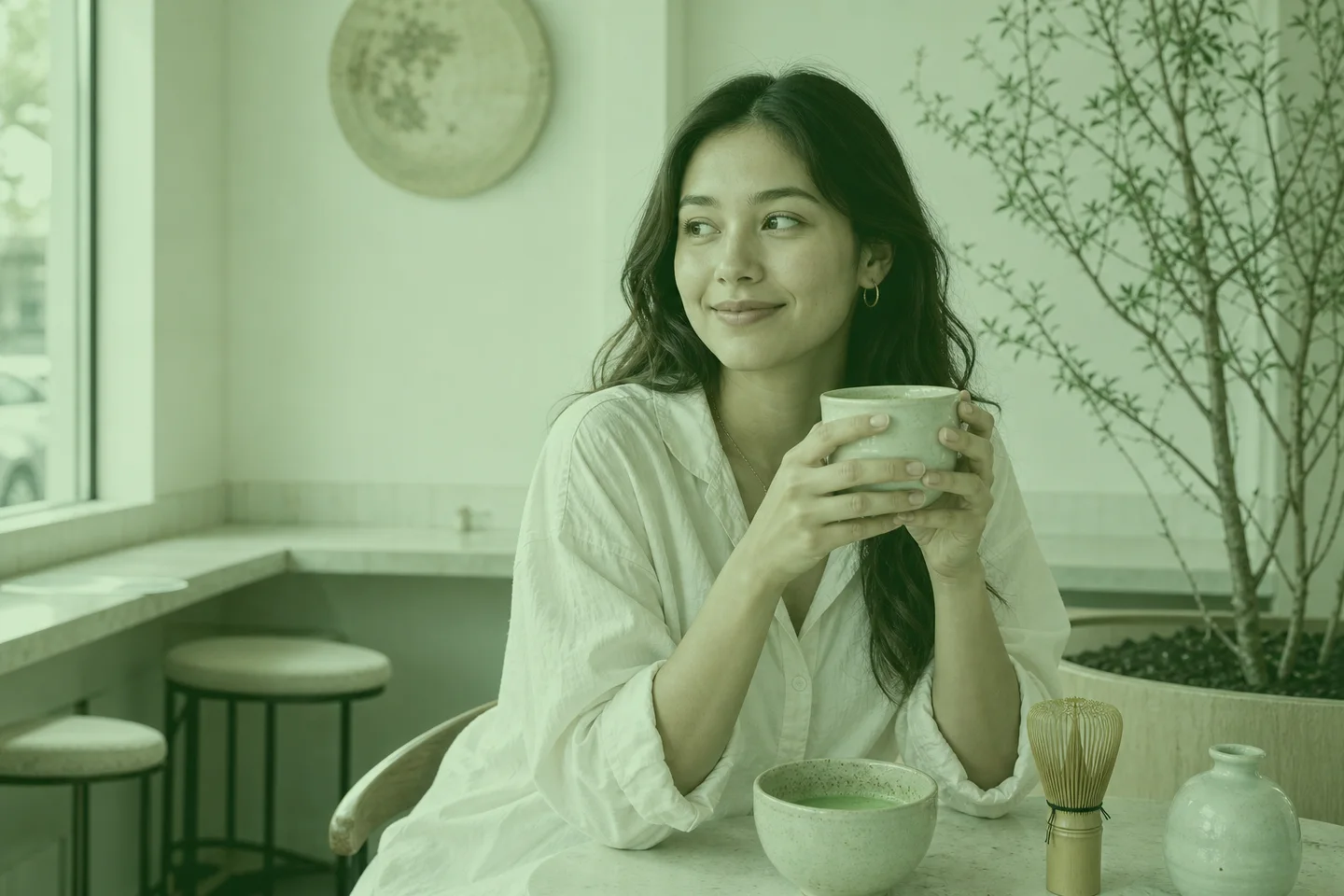

AI color correction
The editor targets the green cast, flattened whites and muted skin color. It is tuned to preserve faces, hands, clothing, objects and the original framing instead of redesigning the photo.
JPG, PNG or WebP up to 10 MB. For the cleanest correction, use the highest-resolution original.
5 credits · one color-corrected image · failed provider tasks are refunded
Your color-restored image will appear here with a draggable before-and-after view.
Your color-restored image will appear here with a draggable before-and-after view.
The edit pulls excess green from whites, shadows and skin while keeping intentional green objects such as actual matcha, plants and clothing believable.
The instruction locks identity, expression, pose and facial structure so the result reads as color correction?not a newly generated portrait.
The model is told not to add, remove or reshape objects. Always compare the result closely before publishing identity-sensitive or commercial photos.
No manual curves or color wheels. The workflow packages a precise correction prompt and a conservative edit strength into one clear action.
Choose a matcha-filtered portrait, selfie, product image or lifestyle photo.
AI identifies the artificial green cast and rebuilds a more neutral white balance.
Drag across the same frame, inspect faces and objects, then download the approved result.
It is a stylized green or sage color grade that can tint skin, whites and shadows. This tool is designed to reduce that cast and recover a more natural-looking balance.
The correction prompt asks the model to preserve real objects and materials, including actual matcha and plants. AI edits can still vary, so inspect important color details before use.
The workflow explicitly preserves identity, pose, objects and composition and uses a conservative edit strength. Review the comparison closely because generative editing cannot guarantee pixel-perfect identity.
You can upload JPG, PNG or WebP images up to 10 MB. A sharp, high-resolution original gives the editor more color and texture information to preserve.
No. It is an original editorial demonstration of the intended color correction. Your output depends on the source image and the AI provider, so always review it before publishing.
Upload one image, let the AI neutralize the matcha-green cast, and compare every part of the frame before downloading.
Try it on your photo