
Primary keyword: Qwen Image 3.0 for ecommerce

Qwen Image 3.0 for Ecommerce

A commercial workflow for product scenes, marketplace graphics, benefit posters and localized ads that protects product accuracy and reduces paid retries.

Current status

Qwen positions Image 3.0 as a productivity model for complex layouts, fine details, text and practical scenarios including ecommerce. Generated assets still need product, brand, copy and platform-policy review before they are used in a paid campaign.

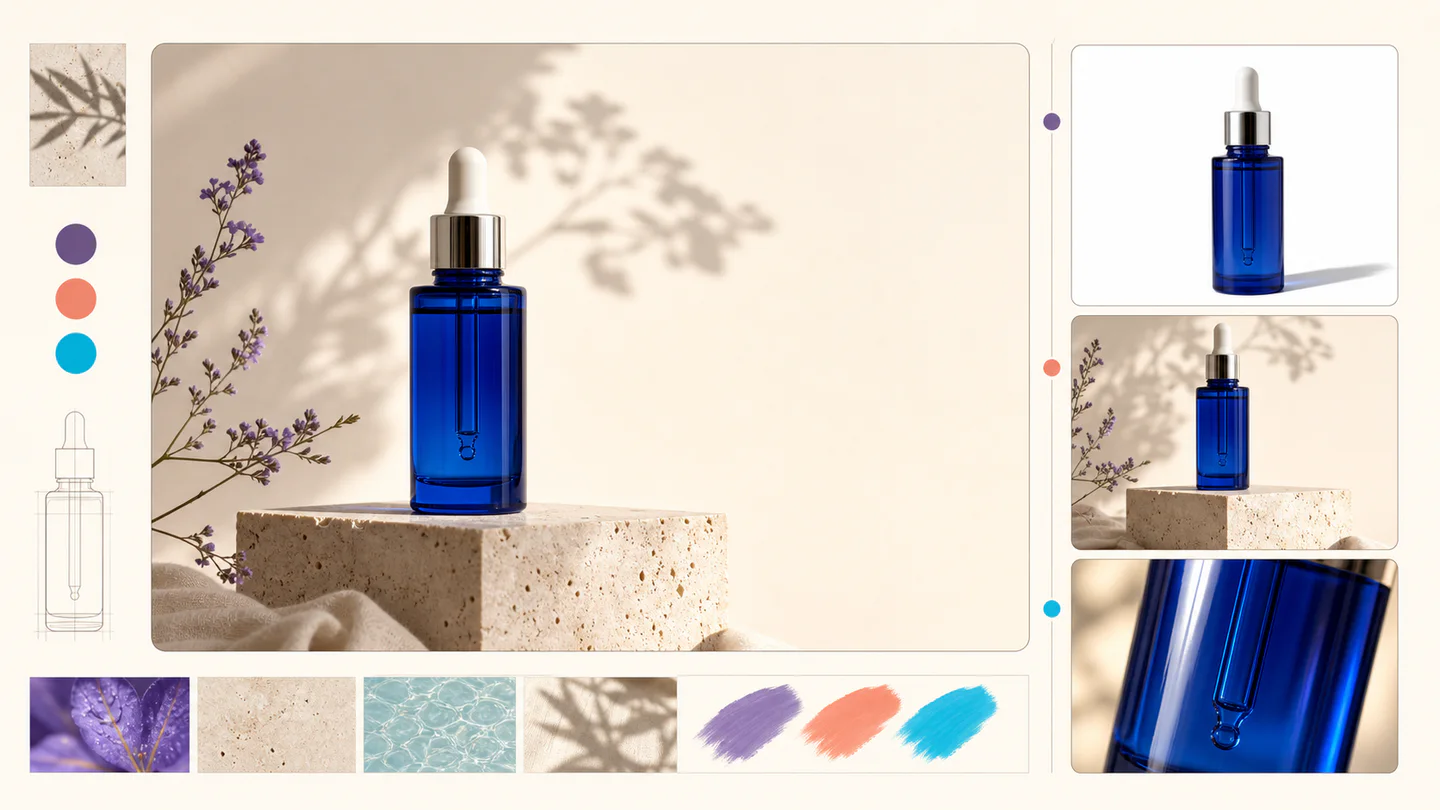
Illustrated ecommerce campaign board showing one cobalt serum bottle adapted to catalog, social and close-up crops

Illustrated case

One product, several channel-ready crops

Lock product shape, material and color first. Then derive the marketplace cutout, square social crop, detail view and campaign scene from the approved identity. Keep headline space blank until the product image passes accuracy review.

Illustrative workflow image—not an unedited Qwen output or a benchmark result. Use it to understand the method, then validate your own prompts and check the linked official sources.

01

Choose a specific ecommerce deliverable

Begin with where the image will be used: marketplace hero, feature graphic, social ad, email banner, packaging concept or localized poster. Each has a different ratio, text allowance and review standard. A defined deliverable produces a stronger prompt than 'make a product ad.'

  • Marketplace hero: clean subject, accurate color and minimal props
  • Feature graphic: one benefit with a clear visual explanation
  • Social ad: strong hook, mobile-safe copy and campaign palette
  • Packaging concept: material, structure and required label zones
02

Write a product-accuracy prompt

Describe immutable facts before style: product category, shape, material, color, number of parts, visible controls and branding restrictions. Then define camera angle, environment, lighting and mood. Explicitly forbid features the product does not have.

  • List must-match physical attributes first
  • State whether packaging and logos may appear
  • Name the intended customer and usage context
  • Forbid invented accessories, claims and certifications
03

Build product ads with controlled text

Use a simple hierarchy: product name, one verified benefit and one CTA. Put exact copy in quotation marks and reserve an uncluttered area for it. If a price, discount or legal qualifier can change, add it later in a design tool instead of baking it into every generated image.

  • One message per asset
  • No invented reviews, awards or performance claims
  • Keep mobile headlines short and high contrast
  • Proofread SKU, price, unit and CTA separately
04

Create localized ecommerce campaigns

Generate each target locale from approved copy instead of asking the model to translate a finished ad. Keep the composition and product consistent while replacing text, cultural props and offer formatting. A native reviewer should approve meaning and typography.

  • Use one master layout and locale-specific copy sheet
  • Respect local date, currency and decimal conventions
  • Check reading direction and line wrapping
  • Avoid stereotypes and unsupported regional claims
05

Protect consistency across a product catalog

Save an approved prompt template for camera height, focal length, background, lighting and shadow. Change only the product-specific fields and reject outputs that alter shape or branding. A consistent visual system matters more than making every SKU unusually dramatic.

  • Lock ratio, framing and background across the collection
  • Keep a reference image beside each SKU when permitted
  • Use the same review checklist for every batch
  • Archive model, prompt, seed and final approved asset
06

Measure conversion value, not generation volume

Track cost per approved asset, production time, click-through rate and conversion rate for each creative type. Stop paying for variations that fail product review or do not improve performance. Use small controlled tests before expanding a visual across a full campaign.

  • Compare generated assets with the current control creative
  • Count rejected images and manual repair time
  • Test one visual variable at a time
  • Scale only reviewed creatives with measurable lift
07

Copy this product-ad prompt framework

Create a 4:5 mobile product ad for [product] aimed at [audience]. Preserve [must-match shape, material and color]. Show it at eye level on [background] with [lighting] and a natural contact shadow. Add only the headline "[approved headline]" and CTA "[approved CTA]" in a clear empty panel. Do not invent accessories, logos, reviews, certifications, discounts or performance claims.

  • Replace every bracketed field before generation
  • Remove text fields if the marketplace forbids promotional copy
  • Compare shape and color with the approved product reference
  • Record the accepted prompt as the catalog baseline

Frequently asked questions

Is Qwen Image 3.0 useful for ecommerce?

Yes, especially for product scenes, benefit graphics, posters and localized campaign concepts. Product accuracy, claims and platform compliance still require review.

Can it generate marketplace product photos?

It can create or concept product imagery, but the output must not misrepresent shape, color, included accessories or performance. Follow each marketplace's synthetic-media and main-image rules.

What should an ecommerce prompt include?

Include the deliverable, must-match product facts, customer context, camera, background, lighting, exact approved copy and explicit exclusions.

Can Qwen Image 3 make multilingual product ads?

The official release reports native rendering in 12 languages. Supply approved localized copy and have a fluent reviewer check every asset.

How do I keep product images consistent?

Reuse a tested template for ratio, framing, background and lighting, change only named product fields and archive settings with every approved output.

How can AI product images reduce cost?

Use them for controlled concepting and repeatable variants, then measure cost per approved asset. Savings disappear when inaccurate outputs require many retries or manual repairs.

Continue reading

Browse all Qwen Image 3.0 guides

Try the guided image workspace

Start with a plain-language prompt, choose a format, and refine the result from your private studio.